Turn your messaging recipes into Gemini skills
Skills are replacing Gems as the way to give Gemini standing instructions. Write your copy rules once and call them with @ in Docs, Slides and Gmail.

- Google is rolling out skills: reusable instructions for Gemini that work across the Gemini app and Workspace apps. Rollout in Workspace began October 5.
- A copy recipe is an ideal skill: fixed structure, length limits, banned words, a reference file.
- Call a skill with @ in the Gemini side panel. Gemini can also pick one when it fits the prompt.
- Gems are being phased out. Studio flows with an Ask a Gem step will stop working; rebuild them with skills.
Skills, in one paragraph
On September 30, Google introduced skills in the Gemini app and Workspace, with Workspace rollout from October 5. A skill is a named set of instructions, optionally with reference files, that Gemini applies when you call it. Google’s transition guide says skills work in the Gemini app and in Workspace apps, while Gems can’t be used in Workspace apps, and that skills will replace Gems.
For product marketing, that is the missing piece. Your copy rules stop living in a doc people forget to open and start living where the writing happens.
A recipe is already a skill
A messaging recipe says how a kind of line is built: what it starts with, how long it is, what it never says. That is exactly the shape of a skill.
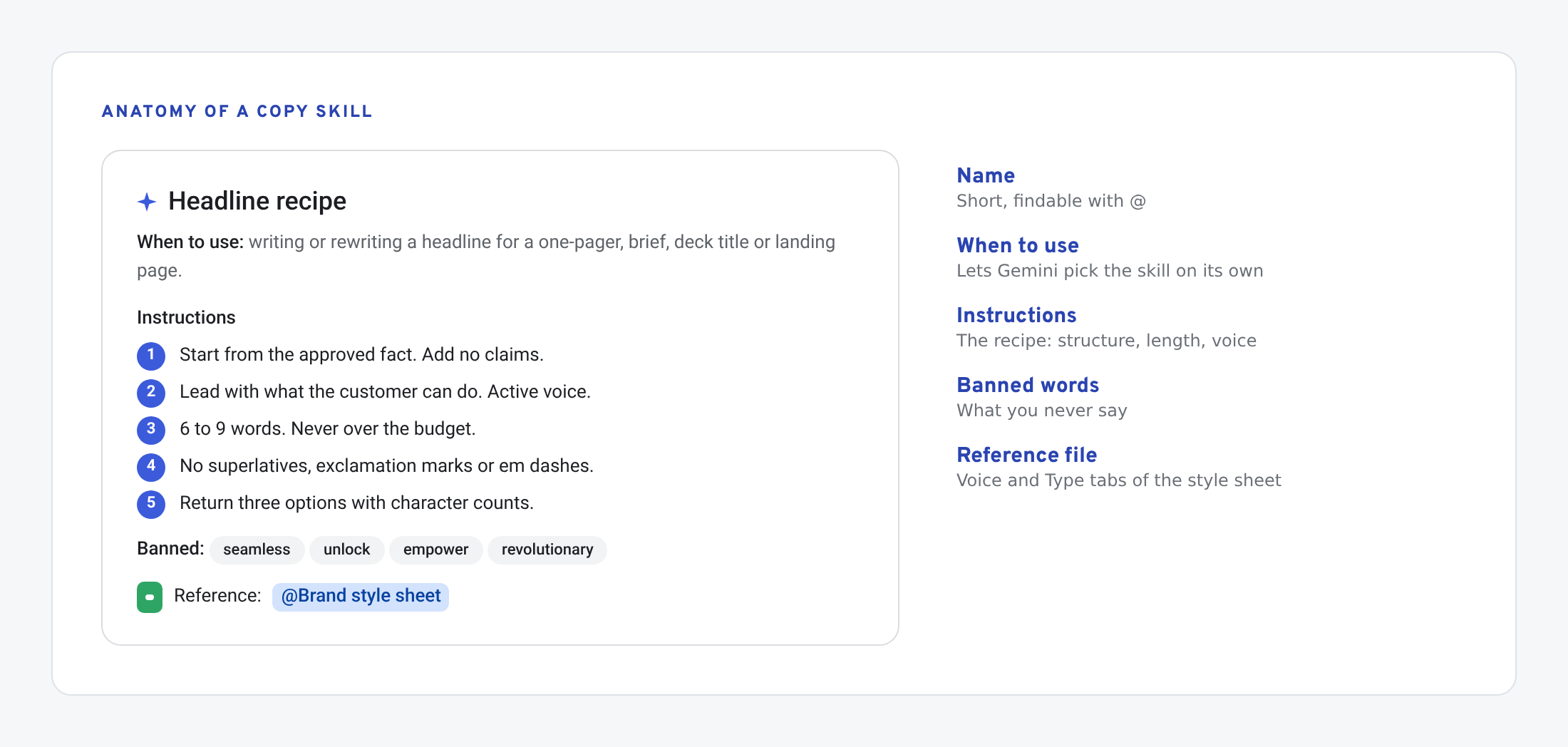
Here is one for headlines:
Name: Headline recipe
When to use: writing or rewriting a headline for a one-pager, solution brief, deck title slide or landing page.

Instructions:
1. Start from the approved fact the user gives you. Do not add claims.
2. Lead with what the customer can do, in their words. Active voice.
3. 6 to 9 words. Never over the character budget if one is given.
4. No superlatives, no exclamation marks, no em dashes.
5. Banned: "seamless", "revolutionary", "unlock", "empower", "next-generation".
6. Return three options, each with its character count.

Reference: @Brand style sheet (Voice and Type tabs)
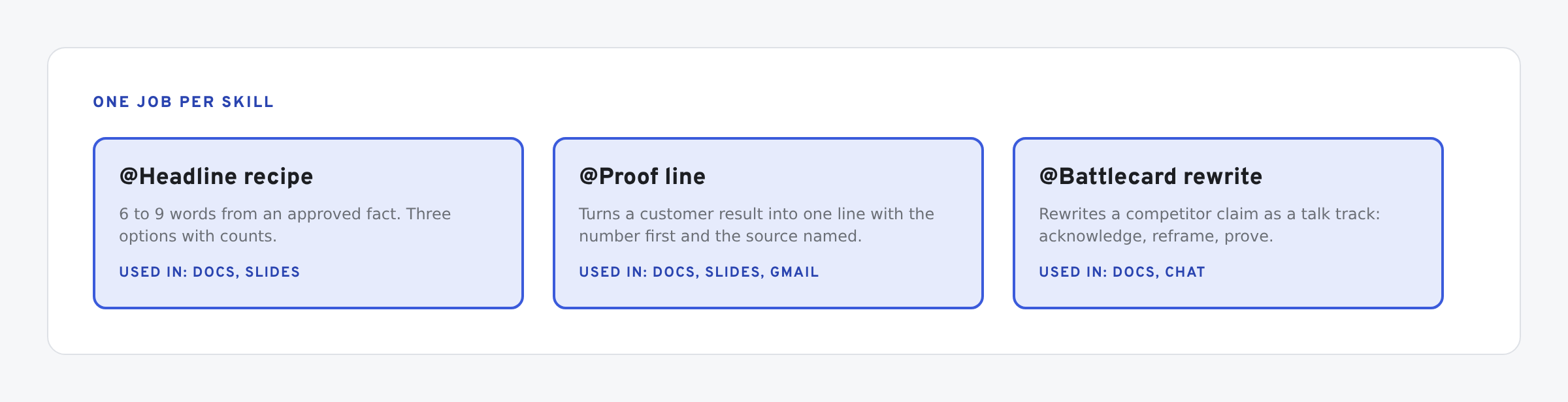
Keep each skill to one job. A headline skill, a proof line skill and a battlecard rewrite skill beat one “brand voice” skill that tries to do all three.
Using a skill
- Open the Gemini side panel in Docs, Slides, Gmail, Chat or Drive.
- Type @ and the skill’s name, then the fact or draft you want worked on.
- Gemini applies the skill’s instructions and any reference files.
- Check the output against the fact. A skill sets the rules; it doesn’t check the claim.
Gemini can also recognise when a skill applies and use it without the @. That is convenient for writers and a reason to make each skill’s “when to use” line precise.
Admins switch skills on in the Admin console under Workspace Studio. If you don’t see them, ask your admin.
What happens to Gems
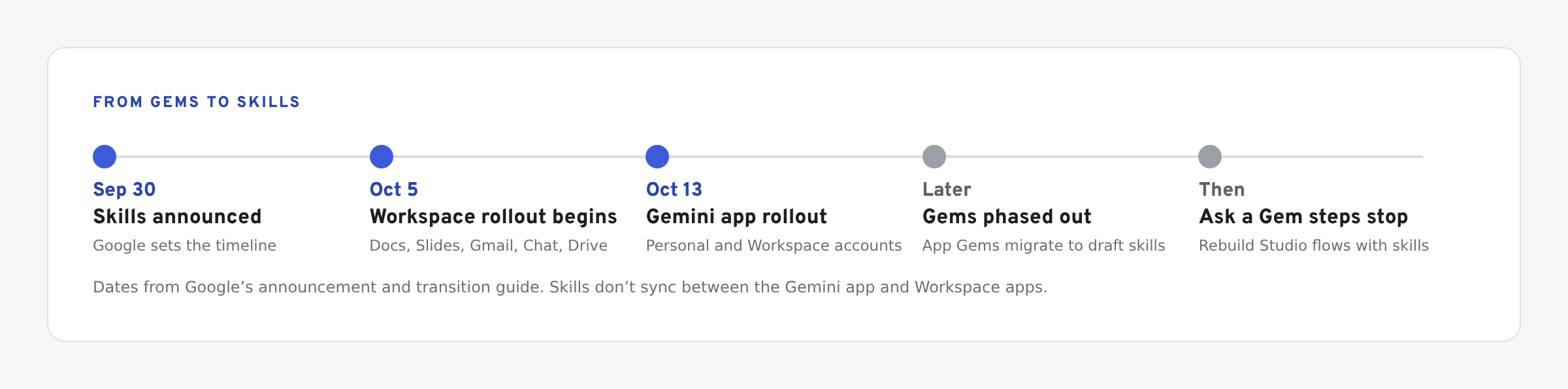
- Gems in the Gemini app will be migrated to draft skills automatically, per Google’s transition guide.
- Workspace Studio flows with an Ask a Gem step will stop working. Rebuild those steps with skills or other actions.
- Skills don’t sync between the Gemini app and Workspace apps. To use one in both, create it in both.
The recipe comes after the strategy
A skill makes rules repeatable. It doesn’t decide what you stand for. If the rules aren’t settled, settle them first: positioning, audience, the one thing you lead with. If you want an outside primer on brand strategy before you write recipes, The Futur has a deep library on it.
Then write the recipes from your real best lines. Take three headlines you would ship today and describe what they have in common. That description is the skill.
Related: if your proof points feed these skills, keep their permissions current with a proof library in Sheets. If you train reps on the result, a Forms quiz checks the message stuck.
What we have tested
- Not yet tried by us: skills in Workspace. They had not reached our account when we wrote this.
Update, Oct 2026: Google later said the skills rollout in Workspace was running slightly behind its original schedule. Check the announcement for current dates.
The screens in this post are mockups, not captures of Google’s products. Google Slides, Google Sheets, Google Docs, Google Forms, Google Meet, Google Chat, Google Drive, Gemini and Google Workspace are trademarks of Google LLC.