SVG to Slides › Specs
Specs
SVG to Slides: product facts and SVG compatibility
What SVG to Slides is, what it costs, and which SVG features come through, tested on 20 sample files.
Product facts
| Product | SVG to Slides |
|---|---|
| What it does | Converts SVG files into native, editable Google Slides shapes. Every SVG path becomes its own shape. |
| Ways to use it | Chrome extension (drag and drop onto a slide), web uploader (returns a Google Drive file), Google Slides add-on (dialog inside Slides) |
| Price | Free. No daily cap, no Pro tier. |
| Account | None for the extension. The web uploader takes an optional Google account email to share the file to. |
| Google permissions | Chrome extension: none. Add-on: reads the current presentation's page size, shows a dialog, and calls the converter. |
| Files per drop | Up to 25 SVGs per drop in the extension. The web uploader takes a batch and makes one slide per SVG. |
| Where conversion runs | Extension: in your browser, with a WebAssembly engine. Web uploader and add-on: on the svgslid.es backend. |
| File retention | Web uploader files are deleted after 7 days. Make a copy in Drive to keep one. |
| Gradients | Kept by the web uploader. The extension and add-on fill the shape with the gradient's first colour. |
| Text | Web uploader: converted to outlined shapes, not editable text. Extension and add-on: not converted. |
| Placement | The extension fits each SVG to about a fifth of the slide, centred where you click. The add-on fits it to the current slide. |
| Also works in | Google Drawings |
| Current versions | Chrome extension 1.0.1 |
| Source code | github.com/joegelman/svg-to-g-slides (MIT) |
| Built by | Joe Gelman. Contact: joe@glmn.co |
SVG compatibility
Tested November 11, 2026 on 20 small SVGs, one feature each. Fully supported: 11 of 20 on the web uploader, 7 of 20 in the Chrome extension and add-on, which share one converter. Each file name links to the file.
| Test file | Web uploader | Extension and add-on |
|---|---|---|
01-single-path-icon.svgOne filled path | Works | Works |
02-multi-colour-logo.svgCircle, rounded rectangle and path in three colours | Works | Works |
03-basic-shapes.svgrect, circle, ellipse, polygon, polyline, line | WorksLines and polylines become filled outline shapes | WorksLines and polylines become filled outline shapes |
04-stroked-line-icon.svgLine icon with the stroke set on the root <svg> (Lucide and Feather style) | WorksStrokes become filled outline shapes | Not convertedNothing pastes |
05-arcs.svgArc commands (A and a) | Works | Works |
06-nested-transforms.svgtranslate, rotate and scale on nested groups | Works | Works |
07-even-odd-holes.svgfill-rule="evenodd" cut-outs | Works | Works |
08-linear-gradient.svgLinear gradient fill | WorksKept as a gradient | PartlySolid fill in the first colour |
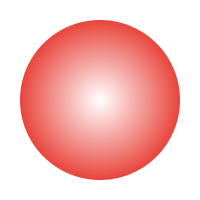
09-radial-gradient.svgRadial gradient fill | WorksKept as a gradient | PartlySolid fill in the first colour; a white-centred gradient pastes white |
10-text.svg<text> element | WorksOutlined into shapes, not editable text | Not convertedNot converted |
11-css-classes-illustrator.svgColours set by CSS classes in a <style> block (Illustrator style) | PartlyShapes kept, colours become black | PartlyShapes kept, colours become black |
12-figma-clip-path.svgFigma-style frame clip and white background | WorksFrame clip and background skipped | WorksFrame clip and background skipped |
13-clip-path-crop.svgclip-path that crops a shape | PartlyClip ignored; the full shape shows | PartlyClip ignored; the full shape shows |
14-mask.svgmask that cuts a hole | PartlyMask ignored | PartlyMask ignored |
15-use-symbol-sprite.svg<use> referencing a <symbol> (icon sprites) | Not convertedNot converted | Not convertedNot converted |
16-opacity.svgfill-opacity | PartlyShapes kept, transparency lost | PartlyShapes kept, transparency lost |
17-current-color.svgstroke="currentColor" | PartlyConverted, but black instead of the inherited colour | Not convertedNot converted |
18-pattern-fill.svgPattern fill | PartlyShape kept, filled black | PartlyShape kept, filled black |
19-filter-shadow.svgDrop-shadow filter | PartlyShape kept, shadow dropped | PartlyShape kept, shadow dropped |
20-colour-formats.svgrgb(), named, short hex and hsl() colours | Partlyhsl() becomes black; the rest are exact | Partlyhsl() becomes black; the rest are exact |
What the extension pasted into Google Slides


How these were tested
Each file was converted with the code the extension and web uploader run. Extension output was pasted into a Google Slides deck. Web uploader output was read from the generated .pptx file. Several files mimic Illustrator, Figma and icon-library exports; they were written for this test, not exported from those apps.
Have an SVG that doesn't convert? Send it to joe@glmn.co.
 Add to Chrome, free