Customer proof points expire. Track them.
Logos, quotes and case studies come with permission, and permission has an end date. Keep a proof library in Sheets and get warned before a quote goes stale.

- Every customer logo and quote you use was approved by someone, for some use, until some date. Write all three down.
- One row per proof point: claim, customer, scope, source of approval, expiry, days left, used in.
- A Workspace Studio flow can check the sheet weekly and post what is about to expire to Chat.
- September’s new Studio steps (Move Drive file, Copy Drive file) can also move retired assets out of the way.
The logo strip nobody re-checked
A customer agreed to a logo on the website two years ago. Their champion left. The logo is still on the homepage, in four decks and on a printed one-pager. Nobody knows whether the permission covered print.
Proof points are borrowed. Treat them like anything else with a licence: record the terms, and track the end date.
The proof library
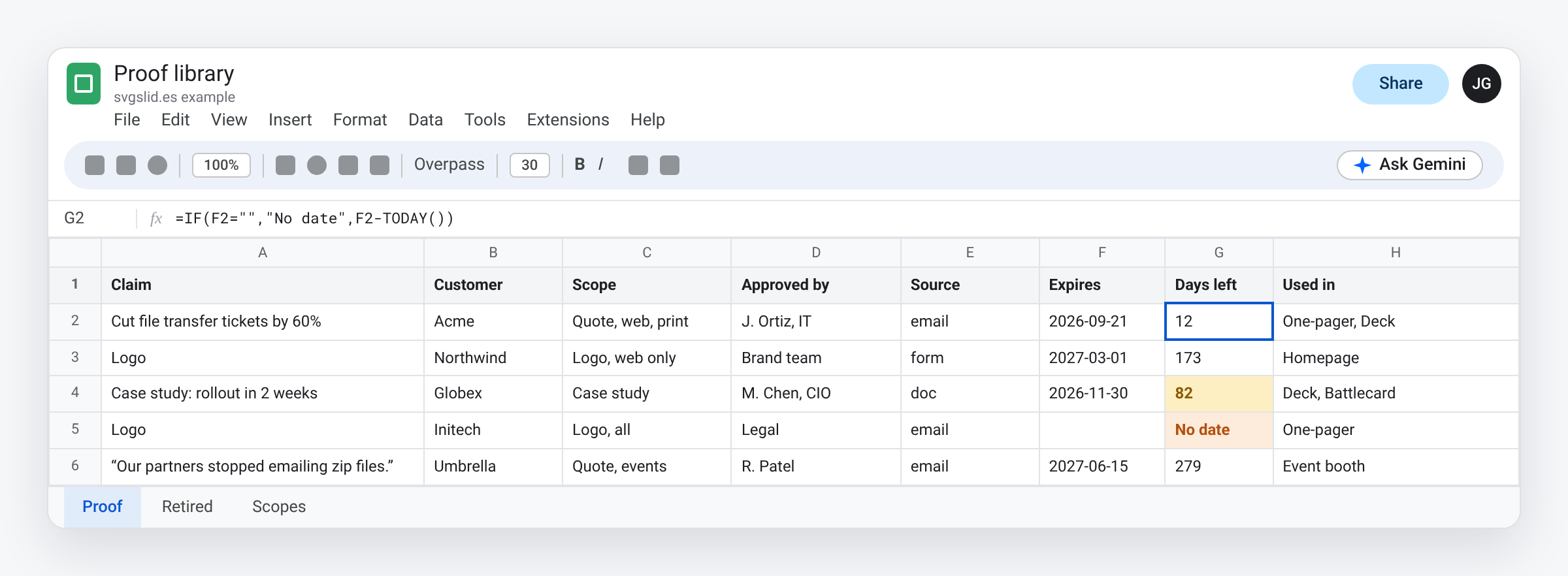
- Claim: the exact words you use. “Cut file transfer tickets by 60%.”
- Customer and contact who approved it.
- Scope: logo, name only, quote, case study, website, print, events. A dropdown keeps it consistent.
- Source: a link to the approval: an email, a signed form, a comment in a doc.
- Expires: the date the permission ends, or a review date if it has none. One year is a sensible default.
- Days left:
=IF(G2="","No date",G2-TODAY()), with red under 30 and amber under 90. - Used in: every asset that carries it.
The Used in column is what makes expiry cheap to handle. When a quote ends, you already know which files to open.
Get warned before it expires
Workspace Studio builds flows from starters and steps, without code. A weekly flow with two steps is enough here:
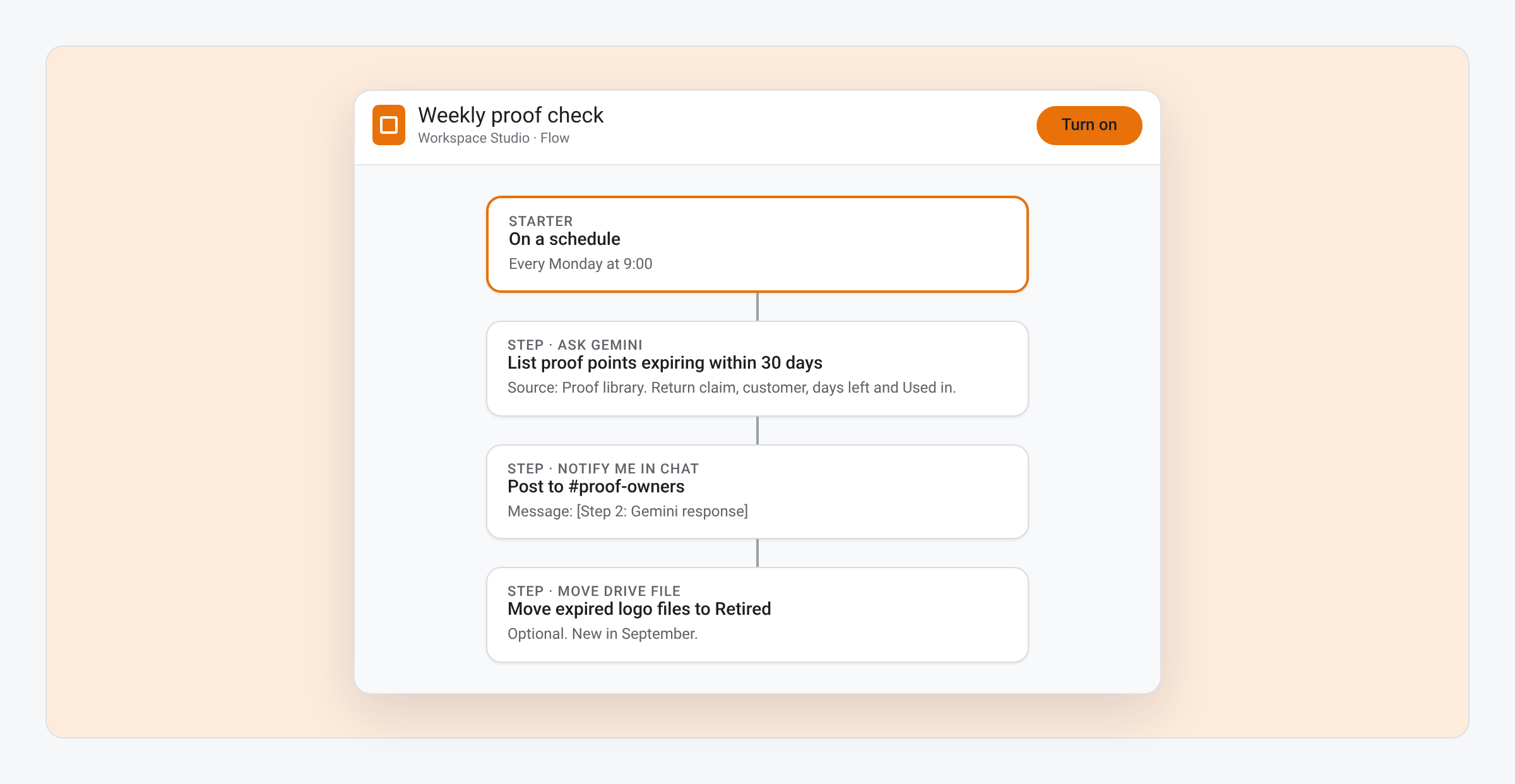
- Starter: on a schedule, every Monday morning.
- Step: ask Gemini, with the Proof sheet as its source, to list rows with fewer than 30 days left, with the claim, customer and Used in.
- Step: notify the proof owner in Chat.
On September 2, Google added four new Studio steps: Move Drive file, Copy Drive file, Send a Chat reply and Reply to email. Move Drive file lets the same flow move an expired logo file from your shared assets folder to a Retired folder, so nobody drops it into a new deck.
One constraint to plan around: Google’s getting-started guide says flows fail on files in shared drives or shared folders, and on spreadsheets that use IMPORTRANGE. Keep the sheet the flow reads private to the flow owner.
On the page
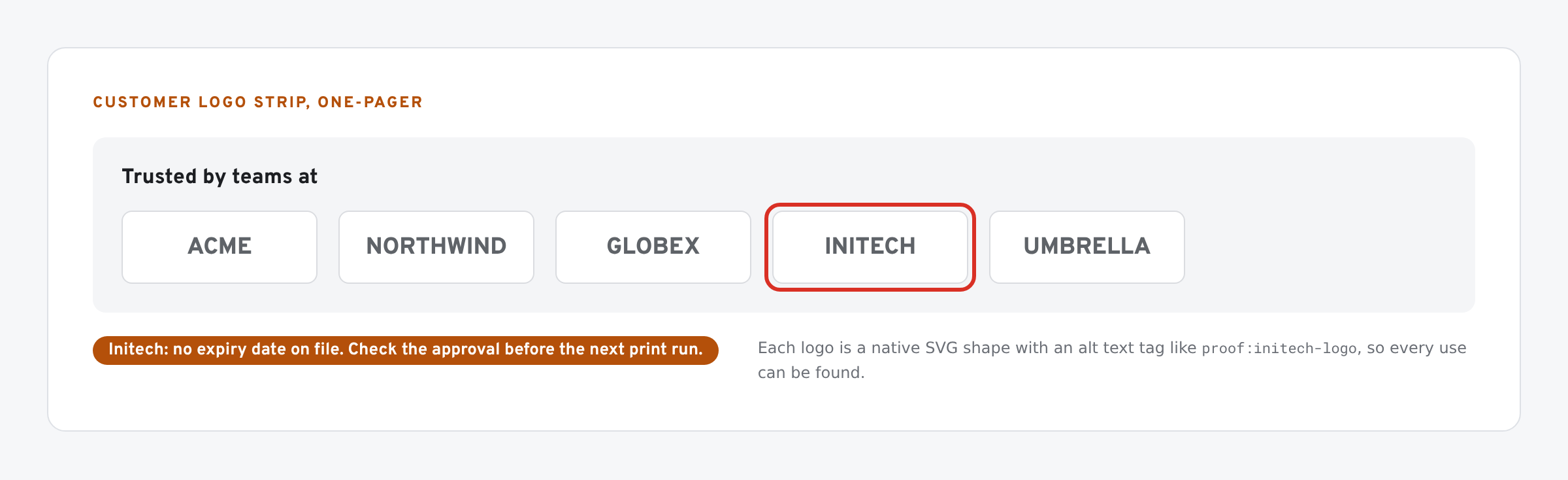
- Logos as vectors. A customer logo pasted as a PNG goes soft in print and can’t be recoloured for a one-colour strip. Add the logo to Google Slides as an SVG and recolour it to match the strip.
- Tag each logo in its alt text title with the proof row key, such as
proof:acme-logo. Then a search, by hand or by script, finds every use. - Quotes keep their attribution exactly as approved: name, title, company.
What we have tested
- Checked in Sheets: the Days left formula.
- Not yet built by us: the Studio flow above. Starter and step names follow Google’s help pages; your Studio may label them slightly differently.
The screens in this post are mockups, not captures of Google’s products. Google Slides, Google Sheets, Google Docs, Google Forms, Google Meet, Google Chat, Google Drive, Gemini and Google Workspace are trademarks of Google LLC.